
How to Back Up Your Photos and Files Safely and Easily

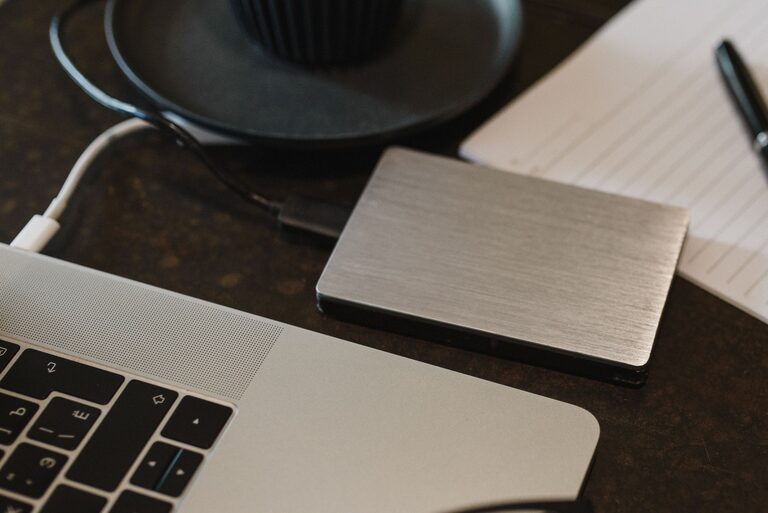
Backing up your photos and files is a crucial step in protecting your digital life. Whether it’s family photos, important work documents, or personal projects, losing these files can be devastating. Fortunately, backing up doesn’t have to be complicated. This guide will walk you through easy methods and best practices to keep your data secure and accessible.
Why Backing Up Matters
It’s easy to take your digital files for granted, but accidents happen. Hard drives can fail, devices can be lost or stolen, and even simple mistakes like accidental deletion can cause data loss. Backing up your files ensures you have a copy saved somewhere else in case the original files are lost or damaged.
Common Backup Methods
There are several ways to back up files, each with its own advantages. Here are the most popular options:
1. External Hard Drives and USB Drives
An external hard drive or a USB flash drive offers a straightforward way to back up files.
– Advantages: Quick to set up, works offline, no ongoing costs.
– Considerations: Physical devices can be lost or damaged; remember to store them safely.
How to use: Connect the drive to your computer and copy important files manually or use backup software that automates the process.
2. Cloud Storage Services
Cloud backup has become increasingly popular for its convenience and reliability.
– Advantages: Accessible from anywhere with internet, automatic backups, often includes file versioning.
– Popular options: Google Drive, Dropbox, Microsoft OneDrive, iCloud.
How to use: Sign up for a service, install the app on your devices, and upload or sync your files. Many services offer free storage tiers and affordable upgrades.
3. Network Attached Storage (NAS)
A NAS device is a dedicated storage device connected to your home network.
– Advantages: Large storage capacity, accessible to multiple devices, can be set up for automatic backups.
– Considerations: Higher upfront cost and requires some technical setup.
How to use: Set up the NAS on your network, create backup schedules from your computer, and store copies of your files there.
Best Practices for Backing Up Your Photos and Files
Keep Multiple Copies
Don’t rely on just one backup method. Following the 3-2-1 rule can greatly reduce the risk of data loss:
– Keep at least three copies of your data.
– Store the copies on two different types of media.
– Keep one copy offsite or in the cloud.
Organize Your Files
Before backing up, organize your files into folders with clear names. This makes it easier to find and restore files later.
Schedule Regular Backups
Set up a routine to back up your files regularly. Automated backup tools can help by running backups on a schedule without you having to remember.
Check Your Backups
Occasionally test your backups by restoring some files. This ensures your backup copies are not corrupted and can be used when needed.
Step-by-Step Guide: Backing Up Photos Using Cloud Storage
Here’s a simple example of how to back up your photos using a cloud service like Google Drive:
- **Create an account** on the Google Drive website if you don’t have one.
- **Download and install** the Google Drive app on your computer or mobile device.
- **Create a dedicated folder** for your photos on your device.
- **Move or copy photos** into this folder.
- **Set the folder to sync** with Google Drive by selecting it in the app.
- The photos will automatically upload to the cloud and stay synced.
- **Access your photos** anytime from any device by logging into your Google Drive account.
Additional Tips for Protecting Your Data
– Use strong passwords for your cloud accounts and consider enabling two-factor authentication.
– Keep your devices updated with the latest software for security patches.
– Avoid backing up unnecessary files to save space and time.
– Consider encrypting sensitive files before backing them up, especially if stored in the cloud.
Conclusion
Backing up your photos and files doesn’t have to be overwhelming. By choosing the right method or combination of methods and following good backup practices, you can safeguard your digital memories and important documents. Start today by picking a backup option that fits your needs and schedule regular backups — it’s a small step that offers peace of mind for the future.