Desk Setup Tips for Focus and Comfort

Creating an organized and comfortable desk setup can greatly enhance your ability to focus and maintain productivity throughout the day. Whether you work from home or in an office, having a workspace designed for both comfort and efficiency is key. This guide covers practical tips to help you optimize your desk setup for better concentration and physical well-being.
Choose the Right Desk and Chair
Desk Height and Size
Select a desk that fits your space and offers enough surface area for your work essentials without feeling cluttered. Ideally, the desk height should allow your elbows to rest comfortably at a 90-degree angle when typing or writing, helping reduce strain on your shoulders and arms.
Ergonomic Chair
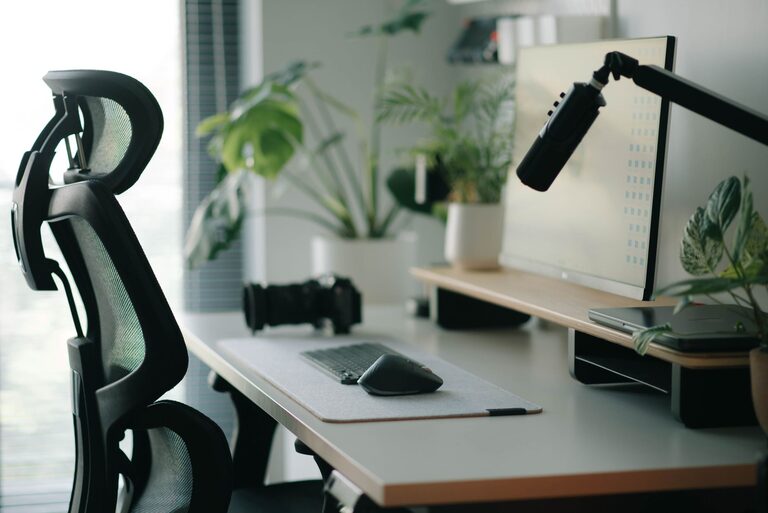
Invest in a quality chair with adjustable height, lumbar support, and comfortable cushioning. Your chair should support the natural curve of your spine and allow your feet to rest flat on the floor or on a footrest. Proper seating reduces back pain and fatigue, helping you stay focused longer.
Optimize Monitor Placement
Eye Level Positioning
Place your computer monitor so the top edge is at or just below eye level. This position encourages a natural gaze and helps prevent neck strain caused by looking down or up for extended periods.
Distance from Eyes
Keep the screen about an arm’s length away from your eyes (roughly 20-30 inches). This distance reduces eye strain and makes it easier to view the content without leaning forward.
Organize Your Desk for Efficiency
Declutter Regularly
Keep only necessary items on your desk to minimize distractions. Use storage solutions like drawers, shelves, or desk organizers to keep supplies neatly arranged.
Keep Essentials Within Reach
Items such as your phone, notebooks, pens, or a water bottle should be easily accessible without excessive reaching. This reduces interruptions to your workflow and maintains focus.
Improve Lighting Conditions
Natural Light
Whenever possible, position your desk near a window to take advantage of natural daylight. Natural light can boost mood and alertness.
Adjustable Task Lighting
Add a desk lamp with adjustable brightness to reduce eye strain during early mornings or late evenings. Ensure the light is directed onto your work area without creating glare on your monitor.
Maintain Good Posture
Sit Upright
Keep your back straight and shoulders relaxed. Avoid slouching or leaning forward as this can cause discomfort and reduce productivity over time.
Use Supportive Accessories
Consider using a footrest or ergonomic cushions to support proper posture. Wrist rests can also ease pressure when typing for long periods.
Minimize Distractions
Noise Management
If noise is a distraction, consider noise-canceling headphones or white noise machines to create a quieter environment.
Personalize Wisely
Decorate your desk with a few personal items, like photos or plants, to enhance comfort without causing clutter or distraction.
Incorporate Movement Breaks
Stretching and Microbreaks
Set reminders to take short breaks every hour to stand, stretch, or walk around. Movement helps reduce stiffness and refreshes your mind.
Alternate Between Sitting and Standing
If possible, use a sit-stand desk to vary your posture throughout the day. Changing positions can enhance comfort and reduce fatigue.
Use Technology to Your Advantage
Cable Management
Keep cables organized using clips or sleeves. A tidy desk helps reduce visual clutter and makes cleaning easier.
Helpful Accessories
Tools like monitor stands, keyboard trays, or document holders can improve ergonomics and free up desk space.
—
A thoughtful desk setup tailored to your needs can make a huge difference in your daily comfort and ability to focus. By paying attention to ergonomics, lighting, organization, and breaks, you create a workspace that supports your productivity and well-being. Try implementing these tips gradually and see how your work experience improves!